Evidence After Dark: Tuning a Dash Cam for the Shunt You Haven't Had Yet
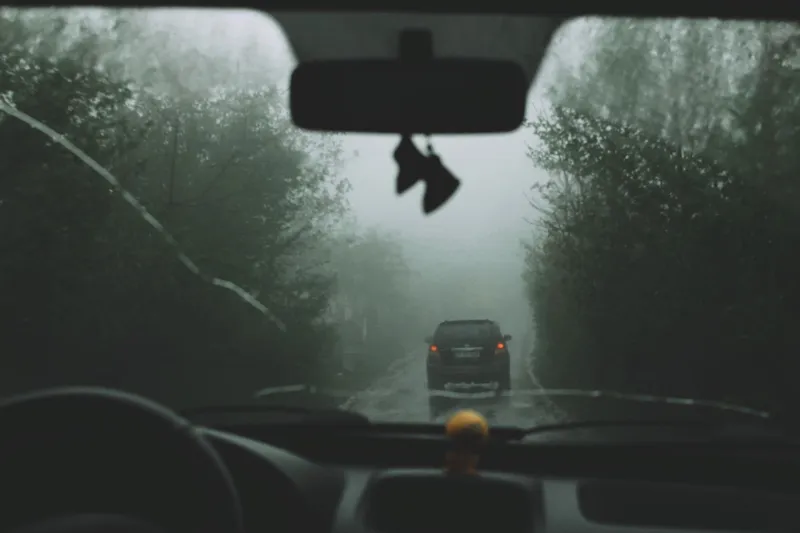
There's a particular kind of disappointment that comes with pulling a microSD card out of a dash cam after a bump in a retail park at 5pm in December. You've got the moment. You've got the bang, the jolt, the squeal of a trolley. What you haven't got is the other car's plate, because it's smeared across four pixels of grey noise under a flickering LED streetlight.
Dash cams are sold on resolution and bought on price. They're judged, in the end, on whether a claims handler can read seven characters off a screen. Those are two very different specifications, and November is when the gap shows.
Resolution is the least interesting number on the box
A 4K badge tells you the sensor is being asked to do a lot with very little. In daylight, at 30 frames per second, with a decent bitrate, it can look superb. After dark, most budget units fall apart because the pixels are tiny and the lens is slow.
What actually matters at dusk is how much light each photosite collects. A 1/2.8-inch sensor at 1440p will comfortably out-read a 1/3-inch sensor at 4K when the sun's gone. If the listing doesn't tell you the sensor size, that's usually the answer.
Look for a few practical things instead of headline numbers:
- A fast lens. f/1.8 or better. f/2.0 is acceptable. f/2.4 is a daytime camera.
- Genuine HDR or WDR. Not a menu option that does nothing. Look for sample night footage before you buy.
- A sensible frame rate at night. 30fps with a longer exposure often beats 60fps with a shorter one, because motion blur comes from shutter speed, not frame rate. On most cams you can't set them independently, so test both and keep whichever reads plates better on your own street.
Bitrate: the setting nobody changes
Here's the thing that separates usable footage from mush, and it's buried two menus deep.
You can have 4K resolution and still get a blocky mess if the encoder is squeezing it into 20 Mbps. Number plates are high-frequency detail, and high-frequency detail is the first thing a cheap compressor throws away. When the car is moving, the plate is also moving across the sensor, so the codec has both motion and fine detail to deal with at once.
A rough guide for a 1–2 minute loop segment:
| Resolution | Bitrate worth having |
|---|---|
| 1080p | 12–16 Mbps |
| 1440p | 20–25 Mbps |
| 4K | 30 Mbps and up |
If your cam offers a bitrate setting, push it up. Yes, the card fills faster. That's what loop recording is for. The one exception is a cheap card in a hot car in July, which is a separate problem covered below.
The card will die, and it will die quietly
Dash cams write continuously, in a car that swings from freezing to roasting, and they overwrite constantly. That is a hostile life for a microSD card designed for a phone.
Buy high-endurance cards. Buy them slightly bigger than you think you need, 64GB or 128GB, so loop recording isn't constantly rewriting the same cells. Format the card in the camera, not on your laptop, because the camera's own formatting is the one it expects.
Then check the thing most people never check: does it actually loop? Some cameras stop recording when the card fills if a setting is wrong, or if the card has thrown a write error. Once a week, glance at the screen and confirm the recording timer is still ticking. It takes eight seconds and it saves you the moment you need.
Also: keep a spare card in the glovebox. Not because you'll need it, but because the police or your insurer may want the card itself, and you'd rather hand over a copy on a new card than surrender your only one.
Parking mode is a battery question, not a camera question
Parking mode is genuinely useful. It's also the fastest way to find a flat 12V battery on a frosty Monday morning.
A dash cam in parking mode draws somewhere between 150mA and 400mA depending on whether it's time-lapse, buffered motion detection, or plain recording. Run the numbers over a cold weekend: a modest 250mA for 60 hours is 15Ah out of a battery that might only have 45Ah of usable capacity when it's cold and a bit tired. Add a couple of short journeys with the lights, heater and heated rear screen on, and you're calling the AA.
If you want parking mode, use a hardwire kit with a proper voltage cut-off, and set it at 12.0V or above for a standard lead-acid battery. Below 11.8V you're borrowing against the battery's lifespan. If your car does mostly short urban trips, skip parking mode entirely or buy a dedicated dash cam battery pack that charges while you drive and doesn't touch the car's own supply.
And if the car sits for days at a time, don't leave it armed. That's not caution, it's arithmetic.
Placement, clock, and the unglamorous stuff that wins claims
A claims handler doesn't just want the crash. They want to know when and where it happened and that the footage is what you say it is.
- Mount it high, behind the mirror, inside the wiper sweep. The lens needs a clean view through glass that gets cleared. Avoid the black dotted frit at the top of the screen; it plays havoc with suction mounts and adhesive pads in summer.
- Don't obstruct the driver's view. The DVLA and MOT rules are about your field of vision, and a camera dangling in it is both a fail risk and an insurance talking point.
- Set the timezone and let it sync. A timestamp that's an hour out because the camera never adjusted for British Summer Time is the sort of detail a sceptical claims assessor will pick at. Check it after every clock change, and after any firmware update.
- Keep the GPS overlay on if you have it. Speed and location in the frame are awkward if you were doing 38 in a 30, but they're also evidence that the clip is genuine and unedited. Honesty tends to be cheaper than a disputed claim.
Audio and privacy
Default to recording audio unless there's a reason not to. A short "are you alright? I've got you on camera, shall we pull into the lay-by?" is worth a paragraph of witness statement later.
That said, be aware of what else the microphone picks up. If you're a taxi or delivery driver, or you carry passengers regularly, you're processing personal data and the ICO expects you to have thought about it. A small sticker on the glass saying a camera is recording is cheap, and it defuses a lot of arguments at the roadside. Filming a public road is one thing; publishing someone's face and plate on social media is another entirely.
Handing a clip over without undermining it
When the moment comes, resist the urge to get creative.
- Copy the original file. Don't trim it, don't add captions, don't re-encode it to send via WhatsApp. Send the untouched file, or the card itself.
- Note the file name, date and time in your message to the insurer, so there's a clear chain from clip to incident.
- Keep your own copy on a laptop or in cloud storage before anything leaves your hands.
- Send it promptly. Insurers and police forces both have windows for evidence, and a clip that turns up three weeks late is a clip that gets questioned.
The five-minute setup check
Before the cold properly arrives, do this once: bump the bitrate, confirm loop recording is on, format the card in-camera, check the date and time, set the voltage cut-off or switch parking mode off, and drive somewhere badly lit to watch the footage back on a laptop rather than the camera's own screen.
The screen on the back of a dash cam flatters everything. Your laptop won't. If you can't read a plate at 20 metres in the dark, you've just found out at a convenient moment rather than an inconvenient one.