The Phantom Load Hunt: A Room-by-Room Standby Audit for a British Winter

Standby power is the quiet part of the energy bill. It is not the reason a January statement makes you wince—heating and hot water usually own that honour—but it is the bit that keeps ticking over while you sleep. In a UK home full of TVs, consoles, smart speakers, set-top boxes and chargers, the total can be more interesting than you expect. The good news is that you do not need to unplug everything. You need to find the handful of devices that are genuinely expensive to leave on.
In winter 2026, with electricity still priced per kWh rather than per good intention, a sensible standby audit is less about guilt and more about priorities. Think of it as a small investigation: measure, compare, then act only where the numbers justify the faff.
Measure first, then judge
You do not need a full home energy system to do this. A single smart plug with energy monitoring—something like a Tapo P110, a Shelly Plug UK or a similar 13A model—will do most of the work. Plug it between the appliance and the wall socket, leave it for 24 hours, and read the kWh figure. For devices that cycle on and off, such as a dishwasher or a games console, leave it for a week and divide.
The maths is simple. Take the wattage, multiply by hours per day, divide by 1,000, then multiply by your pence-per-kWh rate. A device drawing 10W continuously uses 87.6 kWh over a year. At 25p/kWh, that is about £21.90. A 3W device uses 26.3 kWh, or roughly £6.57. Neither is catastrophic on its own, but five or six of them add up to a decent chunk of a winter bill.
Do not trust the label on the box. Standby figures vary hugely between models, and older kit is often much worse than the current generation. The meter is the only opinion that counts.
The room-by-room sweep
Start in the living room, because that is usually where the worst offenders live. A modern TV on standby might draw 0.5W, which is trivial. A soundbar can pull 2–6W. A games console in instant-on mode can draw 10–15W, and an older set-top box or AV receiver can be even worse. That little red light on a 2015-era satellite box is not a decoration; it can be a steady trickle of money.
In the kitchen, the picture is usually milder. Microwave clocks, coffee machines and dishwashers tend to sit in the 0.5–4W range. A smart display can draw 3–5W. It is worth checking, but do not expect to fund a holiday by switching off the microwave clock.
Bedrooms and home offices are a mixed bag. Phone chargers with nothing attached are usually 0.1–0.5W, so the old advice about unplugging them is technically true and practically minor. A printer can draw 2–10W in standby, a desktop PC 3–8W, and a monitor under 1W. If you work from home, a desk full of gear left on all evening is worth a look.
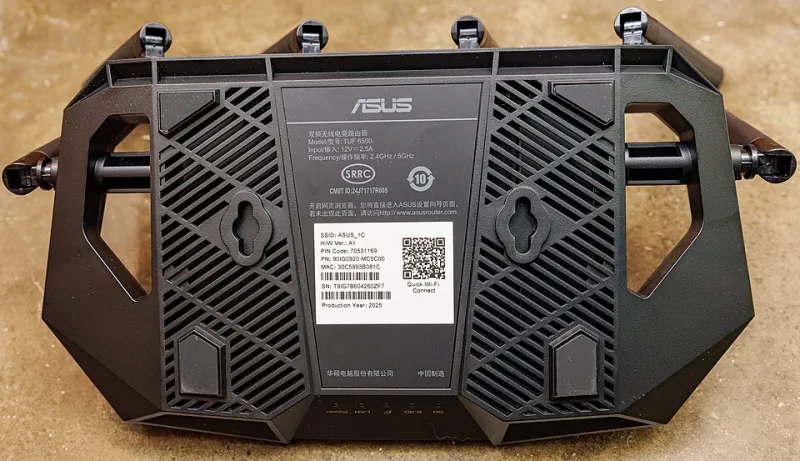
The hallway and utility room deserve a mention too. Smart speakers typically draw 2–5W. Routers draw 5–15W, but do not switch those off overnight unless you enjoy reconnecting everything and missing software updates. Security cameras, alarms, heating controls and medical devices should stay powered for obvious reasons.
A useful example: if your measured standby total is 40W continuous, that is 350 kWh a year. At 25p/kWh, you are looking at about £87.50 annually. That is not nothing, but it also means the fix is not to declare war on every charger. It is to find the two or three devices responsible for most of that 40W.
The myths that cost more than they save
The first myth is that chargers left in sockets are a major bill driver. They are not. A modern charger with no phone attached is a rounding error. Unplug them if it makes you feel tidy, but do not pretend it is a financial strategy.
The second myth is that all standby is the same. It is not. A 0.5W TV and a 15W console in instant-on mode are not in the same league. The age and design of the device matter far more than the presence of a standby light.
The third myth is that switching off the router every night saves meaningful money. It might save a few watts, but it can interrupt updates, smart home routines, VoIP calls and security features. Leave it alone.
The fourth myth is that smart plugs are free savings. A smart plug itself draws a small amount of power, usually under 1W, and it needs a network connection. Used on a 15W set-top box, it is a clear win. Used on a 0.5W charger, it is a gadget hobby rather than an energy plan.
Prioritise the ugly offenders
Rank devices by wattage first, then by hours. A 15W box left on 24/7 is worth dealing with. A 1W charger is not. The top targets in most homes are old set-top boxes, AV receivers, soundbars, games consoles in instant-on mode and desktop PCs left running for no reason.
Use a smart plug schedule for the set-top box and soundbar if they are hard to reach. Switch the console to its energy-saving mode and enable automatic shutdown. Put the TV and peripherals on a switched extension lead if the socket is accessible. Keep the router, alarm and smart heating controller on their own permanent supply.
Do not put high-power appliances such as heaters, kettles or washing machines on cheap smart plugs unless the plug is rated for the load. Avoid daisy-chaining extension leads. And never switch off a fridge, freezer or anything with a safety function just to chase a watt or two.
A winter routine that sticks
Run the audit once, make the top three changes, then check again after a month. A smart meter in-home display is useful for seeing the whole house, but it will not tell you which box in the corner is the culprit. The plug-level meter does that.
The point is not to live in a cold, unplugged monastery. It is to stop paying for standby modes you never use. Find the expensive leakers, put them on a schedule, and leave the rest alone. Your winter bill will not collapse overnight, but it will be a little less mysterious—and that is worth something.